Warehouse Management System Upgrade 12 Warning Signs You Shouldn’t Ignore
Warehouse Management System Upgrade: 12 Warning Signs You Shouldn’t Ignore
A warehouse management system does not have to fail completely before it starts holding your operation back. In many warehouses, the system still receives orders, records inventory and prints documents. From the outside, it appears to be working. Behind the scenes, however, employees are correcting inventory in spreadsheets, entering the same information more than once and relying on manual workarounds to keep orders moving.
Those workarounds are often the earliest sign that a warehouse management system upgrade is overdue.
The age of your software is not the deciding factor. A well-maintained system can remain useful for years. The real question is whether your current WMS can support the way your warehouse operates today and the way you expect it to operate tomorrow.
If order volume, client requirements, sales channels or warehouse locations have grown while your software has remained largely unchanged, the gap will eventually appear in your inventory accuracy, labor costs and customer service.
This guide explains 12 warning signs that your warehouse may have outgrown its existing system, the risks of delaying an upgrade and what to evaluate before selecting a modern WMS.
What Is a WMS Upgrade?
A WMS upgrade is the process of improving or replacing warehouse software so that it can support current operational requirements. Depending on the condition of your existing platform, this may involve:
- Moving to a newer version of the same software
- Adding capabilities that are missing from the current system
- Moving from an on-premises system to a cloud-based WMS
- Replacing separate warehouse tools with one connected platform
- Migrating from spreadsheets, paper or internally developed software
- Implementing a new warehouse management system across one or more facilities
A does not automatically mean abandoning every existing process. The objective is to preserve the workflows that work, remove the ones that create unnecessary effort and give the warehouse a platform capable of supporting future growth.
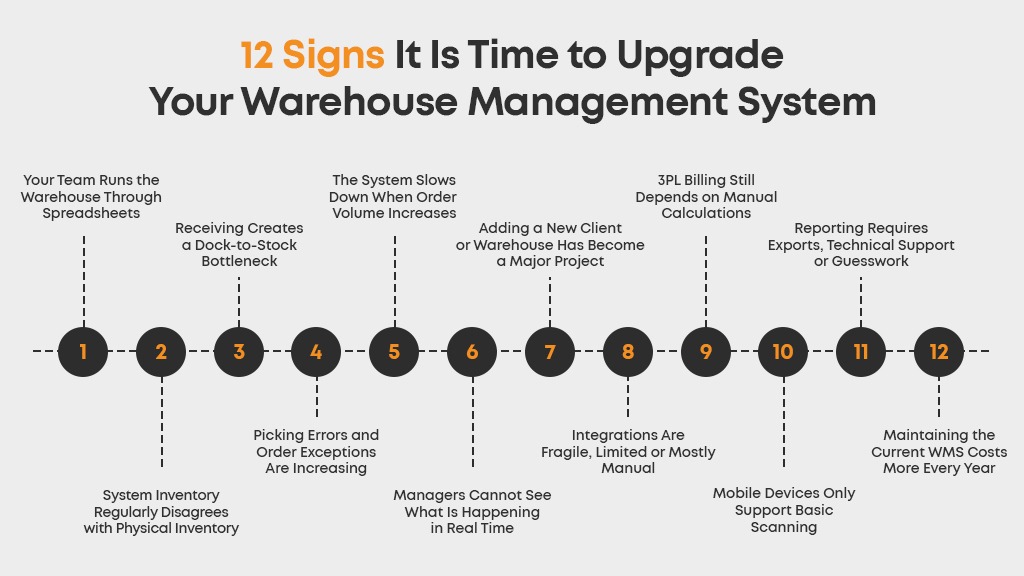
12 Signs It Is Time to Upgrade Your Warehouse Management System
One isolated problem does not always justify a WMS replacement. But when several of the following warning signs appear together, they usually indicate that the software is no longer keeping pace with the operation.
1. Your Team Runs the Warehouse Through Spreadsheets
Spreadsheets are useful for analysis, planning and temporary calculations. They become a problem when they start functioning as a second warehouse management system.
You may find separate spreadsheets being used to track:
- Available inventory
- Receiving discrepancies
- Open orders
- Bin locations
- Cycle count results
- Client charges
- Returns and damaged products
- Shipment status
This usually means the WMS cannot capture the information employees need or cannot make that information easy to access. Each separate file creates another version of the truth. By the time the spreadsheet is updated, the physical inventory may have moved again.
Manual data entry also consumes time without moving a single product through the warehouse. More importantly, it introduces transcription mistakes, duplicate records and delays between a warehouse activity and its appearance in the system.
A modern WMS should record activity as it happens. Receiving, putaway, picking, packing, transfers and shipping should update the same inventory record instead of requiring employees to reconcile multiple files later.
2. System Inventory Regularly Disagrees with Physical Inventory
When the system says a product is available but the picker cannot find it, the problem reaches far beyond one missing unit. The picker loses time searching. A supervisor becomes involved. Another location may be checked. The order may be delayed, partially shipped or cancelled.
Common signs of unreliable inventory include:
- Frequent stock adjustments
- Products stored in the wrong bins
- Negative inventory balances
- Orders allocated against unavailable stock
- Unexplained inventory gains or losses
- Large discrepancies during physical counts
- Employees checking shelves before confirming availability
Inventory inaccuracy often develops when movements are recorded after the fact. If receiving, replenishment, picking or transfers happen physically before they are confirmed digitally, the WMS stops reflecting warehouse reality.
An upgraded warehouse inventory tracking system should maintain item-level and location-level visibility throughout the inventory lifecycle. Mobile scanning, controlled movement and regular cycle counting help identify discrepancies without repeatedly stopping the entire operation for a full physical inventory.
3. Receiving Creates a Dock-to-Stock Bottleneck
Inventory cannot be sold, allocated or picked reliably until it has been properly received and made available in the system. If products routinely remain at the dock while employees check purchase orders, create labels or wait for someone to resolve discrepancies, the receiving process is limiting the rest of the warehouse.
Warning signs at the receiving dock include:
- Purchase order details are entered manually
- Receivers do not have expected quantities available on their devices
- Damages and shortages are recorded separately
- Labels are created through another system
- Products are received but remain unavailable for allocation
- Putaway decisions depend entirely on employee memory
- The same shipment information is entered multiple times
A modern warehouse management system should connect receiving with inventory availability, labeling and putaway. It should help the team verify expected items, record exceptions and direct products to suitable storage locations without creating unnecessary pauses between steps.
If the dock is regularly crowded with inventory waiting to be processed, a WMS software upgrade may produce improvements well beyond receiving. Faster dock-to-stock flow gives purchasing, customer service and fulfillment teams a more accurate view of available inventory.
4. Picking Errors and Order Exceptions Are Increasing
Picking is where weak inventory data and outdated workflows become visible to the customer. The wrong SKU, quantity, lot or serial number can lead to repacking, reshipping, returns, credits and damaged client relationships.
An outdated WMS may generate a pick list without verifying what happens on the warehouse floor. Employees can accidentally pick from the wrong location or select a visually similar product, and the mistake may not be discovered until packing or after delivery.
Look for patterns such as:
- An increasing number of mis-picks
- Frequent substitutions that require supervisor approval
- Orders reaching packing with missing items
- Pickers travelling back to previously visited locations
- Incorrect lot or serial number selection
- Labels being matched manually with completed orders
- Repeated customer complaints about incorrect shipments
Modern warehouse picking software can guide employees through controlled workflows and require scan confirmation at critical stages. Batch, zone or wave-based methods can also organize work more efficiently when the warehouse handles different order profiles.
The important signal is not one occasional mistake. It is a growing amount of rework that the current system cannot prevent.
5. The System Slows Down When Order Volume Increases
A WMS that performs adequately on an average day may struggle during promotions, seasonal peaks or rapid client growth. Screens take longer to load, integrations fall behind and teams create shortcuts to clear the backlog.
That is a scalability problem not merely a busy day.
A warehouse should be able to process higher volume without experiencing a proportional increase in manual coordination. If doubling order volume requires twice as many administrative employees, the underlying workflow is not scaling.
Pay attention to whether the existing system can handle growth across:
- Order and transaction volume
- SKU count
- Concurrent users
- Warehouse locations
- Sales channels
- Client accounts
- Carrier services
- Reporting requirements
A cloud-based warehouse management system should give the operation room to grow without requiring an entirely new technology project every time another facility, user or client is added.
6. Managers Cannot See What Is Happening in Real Time
Warehouse managers cannot correct a problem they cannot see. If reports only become available at the end of a shift or after data has been exported and manually prepared decisions are being made using yesterday’s information.
Limited visibility often appears in questions that are surprisingly difficult to answer:
- How many orders are waiting to be picked?
- Which shipments are at risk of missing their cut-off?
- Where is a particular SKU located?
- Which warehouse has available inventory?
- Which customer generated the most order activity this week?
- What is causing the current fulfillment delay?
- How much work is still open at each processing stage?
An effective WMS should provide real-time operational data, not simply store transaction history. Managers need dashboards and reports that reveal current inventory, order progress and warehouse performance while there is still time to act.
This is also where AI can provide practical value. Instead of searching through multiple dashboards and filters, users can ask operational questions in natural language and receive answers based on current warehouse data. The purpose is not to add AI as a label; it is to reduce the time between a question and an informed decision.
7. Adding a New Client or Warehouse Has Become a Major Project
Growth should create opportunity, not weeks of system configuration and manual separation. For a 3PL, the ability to onboard clients efficiently is particularly important because every customer can introduce different products, workflows, billing rules, reporting requirements and integrations.
Your current system may be restricting growth if:
- New client onboarding depends heavily on developers
- Client inventory cannot be separated cleanly
- Employees must switch between different systems
- Reports need to be built from scratch for every customer
- Client-specific requirements create duplicate processes
- Adding a warehouse requires a separate database or software instance
- Customers repeatedly contact your team for routine inventory updates
A purpose-built multi-client management system should keep each customer’s inventory, orders, access and reporting organized while allowing the warehouse to use shared space and resources efficiently.
For multi-location operations, the WMS should also provide consolidated visibility without removing facility-level control. If growth creates more fragmentation every time a location is added, the system is becoming a ceiling on the business.
8. Integrations Are Fragile, Limited or Mostly Manual
A warehouse does not operate in isolation. Orders may originate in ecommerce stores, marketplaces, ERP platforms or client systems. Shipment information must move to carriers, while inventory and financial data may need to flow to other business applications.
When the WMS cannot exchange that information reliably, employees become the integration.
Common symptoms include:
- Orders are imported using CSV files
- Tracking numbers are copied into another platform
- Inventory updates are delayed across sales channels
- Duplicate orders appear after a failed synchronization
- Every new integration requires extensive custom development
- Existing connectors break after another platform is updated
- Integration errors are not visible until a customer reports a problem
A modern WMS should offer reliable APIs and integrations with the systems your operation uses. It should also provide visibility into failed transactions so exceptions can be corrected before they affect fulfillment.
Integration capability should be evaluated as part of the core warehouse platform not treated as an afterthought after the software has been selected.
9. 3PL Billing Still Depends on Manual Calculations
For a third-party logistics provider, operational accuracy and billing accuracy are closely connected. Every receipt, pallet stored, item picked, kit assembled, return processed or special service performed may represent revenue.
If those activities are tracked manually, some charges will inevitably be delayed, disputed or missed.
Signs of an outdated billing process include:
- Warehouse activity is exported into spreadsheets before invoicing
- Employees manually count transactions for each client
- Storage charges require repeated calculations
- Value-added services are recorded through notes or emails
- The billing team waits for operations to confirm completed work
- Client-specific rates are maintained in separate documents
- Preparing invoices takes several days at the end of every billing period
3PL billing software should capture billable activity as warehouse work is completed. Client agreements can then define how receiving, shipping, storage and additional services are charged.
When the WMS manages operations but billing remains disconnected, the business is using only part of the value its warehouse data can provide.
10. Mobile Devices Only Support Basic Scanning
Using a scanner does not automatically mean a warehouse is digitized. In some operations, mobile devices capture a barcode but employees still return to a workstation to complete the transaction, investigate an exception or begin the next task.
A modern mobile warehouse workflow should support the work where it happens, including:
- Receiving
- Putaway
- Inventory transfers
- Replenishment
- Picking and verification
- Cycle counting
- Packing
- Shipping confirmation
- Returns processing
The system should also provide clear prompts that employees can follow without relying entirely on memory. This reduces training complexity and creates more consistent execution across shifts and locations.
If warehouse employees spend significant time moving between products and desktop terminals, the limitation may lie in the WMS interface rather than in the physical layout.
11. Reporting Requires Exports, Technical Support or Guesswork
Legacy WMS reporting often answers a fixed set of questions. When a manager needs something different, the data must be exported, combined with another file or sent to someone with technical access.
This slows decision-making and makes it harder to investigate the cause of a problem.
Consider a warehouse management system upgrade if:
- Reports cannot be filtered by client, warehouse or date without assistance
- Data from multiple locations must be combined manually
- Teams use different definitions for the same KPI
- Reports show totals but not the transactions behind them
- Managers cannot identify trends without external tools
- Clients cannot access appropriate operational information themselves
Modern reporting should help users move from a summary to the underlying activity. Managers should be able to examine inventory movement, order performance, revenue, customer activity and operational exceptions without rebuilding the analysis every time.
The best reporting tools do more than describe what happened. They help the warehouse understand where attention is required next.
12. Maintaining the Current WMS Costs More Every Year
An old system can appear inexpensive because the original software investment has already been made. But license fees are only one part of the true cost.
An outdated warehouse management system may also require:
- Server maintenance and replacement
- Specialized internal IT knowledge
- Vendor support for small configuration changes
- Custom development for integrations
- Manual work caused by missing functionality
- Additional tools for reporting, billing or client access
- Overtime during system failures or peak periods
- Rework caused by inventory and fulfillment errors
These costs are distributed across multiple departments, which makes them easy to underestimate. A useful comparison should calculate the total cost of operating the current system not simply compare the subscription price of a new WMS with the annual license cost of the old one.
Once workarounds, downtime, support and missed opportunities are included, continuing to maintain a legacy WMS may be more expensive than replacing it.
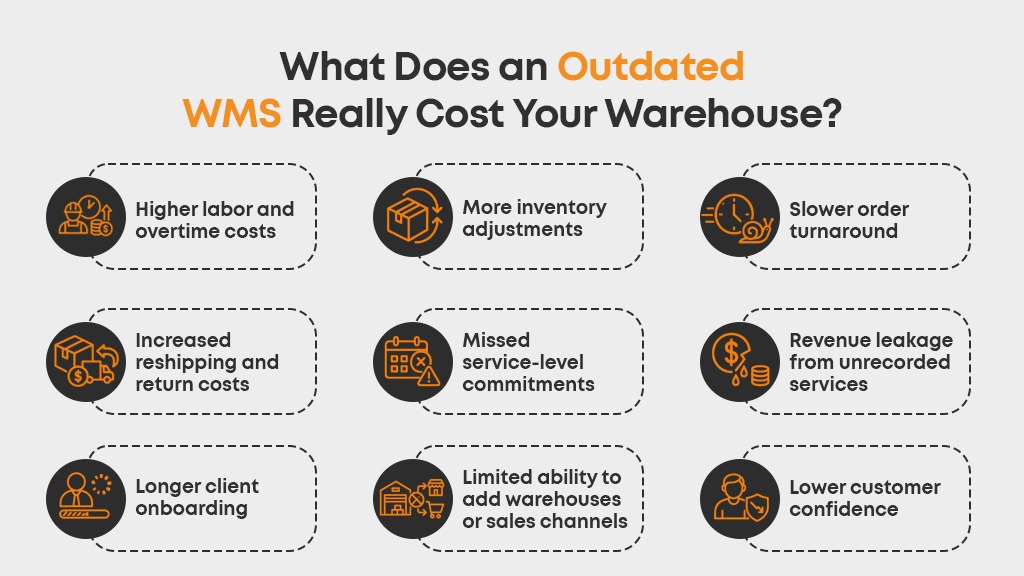
What Does an Outdated WMS Really Cost Your Warehouse?
The damage caused by an outdated system is cumulative. A receiving delay affects inventory availability. Inaccurate inventory disrupts picking. Picking errors create returns. Disconnected activity records lead to missed charges. Limited reporting prevents managers from identifying the pattern.
Over time, this can result in:
- Higher labor and overtime costs
- More inventory adjustments
- Slower order turnaround
- Increased reshipping and return costs
- Missed service-level commitments
- Revenue leakage from unrecorded services
- Longer client onboarding
- Limited ability to add warehouses or sales channels
- Lower customer confidence
The most significant cost may be the growth the warehouse cannot accept. If the operation lacks confidence in its inventory, processes or reporting, taking on another major client becomes a risk rather than an opportunity.
Should You Upgrade, Modernize or Replace Your WMS?
Not every limitation requires a complete WMS replacement. The right decision depends on the platform’s underlying flexibility and the gap between current capabilities and business requirements.
Upgrade the Existing System When:
- A supported version provides the capabilities you need
- Existing integrations can be preserved
- The system architecture can handle projected growth
- Employees are comfortable with the platform
- The vendor continues to provide updates and security support
Modernize or Extend the Existing System When:
- Core warehouse execution remains reliable
- Only certain interfaces, reports or integrations are outdated
- Mobile workflows can be added without destabilizing the platform
- Modernization costs are reasonable compared with replacement
Replace the WMS When:
- The vendor no longer supports the software
- Essential workflows depend on spreadsheets or custom patches
- The system cannot support multiple clients, locations or channels
- Integrations are consistently unreliable
- Reporting and visibility are fundamentally limited
- Maintenance costs continue rising
- The platform cannot support the company’s growth plan
This assessment should be based on documented operational requirements, not a feature comparison alone. A system with a longer feature list is not necessarily a better fit if it cannot support the warehouse’s actual order profiles, client rules and exception workflows.
What Should a Modern Warehouse Management System Provide?
Before beginning a WMS replacement, build a requirements list around current pain points and planned growth. Depending on your operation, important capabilities may include:
- Real-time inventory and location visibility
- Multi-warehouse inventory management
- Multi-client controls and customer access
- Configurable receiving and putaway
- Mobile warehouse workflows
- Batch, wave and zone picking
- Packing and shipment verification
- Cycle counting without operational shutdown
- Lot, serial number and expiration-date tracking
- Kitting and value-added services
- Reverse logistics and returns management
- Ecommerce, marketplace, carrier and ERP integrations
- Automated 3PL billing
- Role-based access and audit trails
- Configurable dashboards and reporting
- AI-assisted access to operational insights
Separate essential requirements from features that would simply be convenient. This keeps the selection process focused and makes vendor demonstrations easier to evaluate.
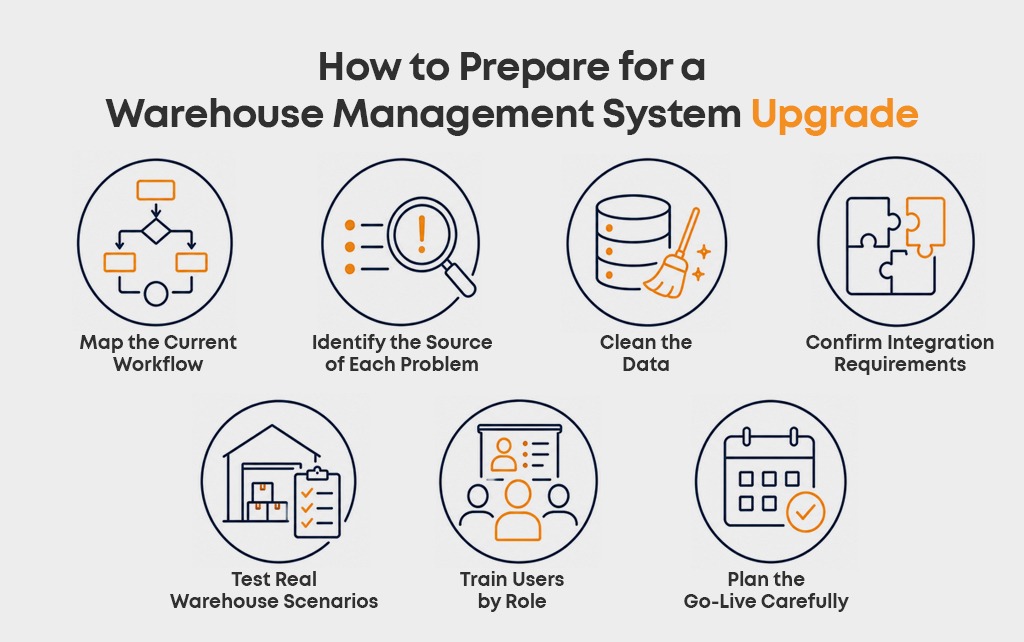
How to Prepare for a Warehouse Management System Upgrade
Replacing warehouse software affects data, processes, employees and connected systems. Preparation reduces disruption and prevents existing process problems from being transferred into the new platform.
Map the Current Workflow
Document how inventory moves from receiving through putaway, storage, picking, packing, shipping and returns. Include the actual workarounds employees use, not only the official procedure.
Identify the Source of Each Problem
Determine whether a bottleneck is caused by software, warehouse layout, training, data quality or process design. A new WMS can improve execution, but it cannot correct an unclear process that has never been defined.
Clean the Data
Review item records, units of measure, client information, storage locations, open orders and inventory balances. Migrating inaccurate or duplicate information creates problems from the first day of the new system.
Confirm Integration Requirements
List every ERP, ecommerce platform, marketplace, carrier, accounting tool and client system that exchanges warehouse data. Define what information moves in each direction and how often it must update.
Test Real Warehouse Scenarios
Do not limit testing to ideal transactions. Include shortages, damaged receipts, partial orders, substitutions, returns, cancelled shipments and inventory discrepancies. Exception handling often reveals more about a WMS than a perfect pick-and-ship demonstration.
Train Users by Role
Receivers, pickers, supervisors, billing teams, administrators and clients interact with different parts of the system. Training should reflect the tasks each group performs rather than providing the same general session to everyone.
Plan the Go-Live Carefully
Define how opening inventory will be validated, how in-progress orders will be handled and who will make decisions during the transition. Where appropriate, use a controlled pilot before expanding the new WMS across every client or location.
Do Not Wait for Your WMS to Fail
The clearest sign that a warehouse management system upgrade is needed is not a server failure or a complete operational shutdown. It is the growing amount of manual effort required to make the existing system usable.
Spreadsheets, repeated inventory adjustments, fragile integrations, delayed reporting and manual billing are not isolated inconveniences. Together, they show that the warehouse has moved beyond what its software was designed to manage.
Upgrading at the right time gives the operation an opportunity to standardize workflows, improve inventory control and prepare for growth before the limitations become a customer-facing problem.
3PLNext is a cloud-based warehouse and fulfillment management system designed to manage inventory, receiving, picking, shipping, multi-client operations, reporting and 3PL billing through a connected platform. If your current WMS is creating more work than it eliminates, request a 3PLNext demo and evaluate how a modern warehouse management system can support your operation.
Frequently Asked Questions
What is a legacy WMS?
A legacy WMS is a warehouse management system that can no longer support current operational requirements efficiently. It may rely on outdated technology, limited integrations, manual processes or expensive customizations. A system’s age alone does not make it legacy; its ability to support the business is what matters.
When should a company upgrade its warehouse management system?
A company should consider a warehouse management system upgrade when inventory discrepancies, manual work, integration problems, limited reporting or performance issues become recurring operational problems. Multiple warning signs usually indicate that the system has become a constraint on efficiency or growth.
What is the difference between a WMS upgrade and a WMS replacement?
A WMS upgrade improves the existing platform, usually by moving to a newer version or adding capabilities. A WMS replacement moves warehouse operations to a different platform when the current system cannot meet essential requirements or cannot be modernized cost-effectively.
Can a warehouse change its WMS without stopping operations?
Yes. Careful data preparation, testing, user training and a phased or controlled go-live can reduce disruption. The transition plan should account for opening inventory, open orders, integrations and exception handling before the new system takes operational control.
What information should be prepared before selecting a new WMS?
Document warehouse locations, users, clients, SKUs, order volumes, receiving and fulfillment workflows, integrations, billing rules, reporting needs and projected growth. Vendors should demonstrate how their system handles your actual workflows and exceptions rather than only presenting standard features.




Leave a Reply