
The Ultimate Guide to Warehouse Mapping: Building a High-Performance Ecommerce Fulfillment
Imagine redesigning your living room. You start by measuring the space, sketching layouts, and deciding where each piece of furniture will go. This isn’t just about aesthetics—it’s about ensuring the room is functional, easy to navigate, and tailored to your lifestyle.
In the world of ecommerce, warehouse mapping serves a similar purpose. It’s not just about organizing shelves; it’s about designing a system that prioritizes safety, speeds up order fulfillment, and maximizes efficiency. A well-mapped warehouse is the backbone of a successful ecommerce operation, ensuring products move seamlessly from receiving to shipping.
In this guide, we’ll dive deep into warehouse mapping, breaking down its components, benefits, and step-by-step strategies to help you transform your warehouse into a productivity powerhouse.
What is Warehouse Mapping?
Warehouse mapping is the process of creating a detailed visual blueprint of your warehouse. It involves identifying and labeling every storage area, workstation, and pathway to create a logical, navigable system. Think of it as giving your warehouse a “GPS” so workers can locate items in seconds.
A warehouse map can be physical (like a printed floor plan) or digital (interactive software), but it always includes:
- Zones: Dedicated areas for specific tasks (e.g., receiving, storage, packing).
- Location codes: Unique “addresses” for every shelf, bin, or pallet (e.g., A-01-B-22 = Aisle A, Bay 01, Shelf B, Position 22).
- Travel paths: Safe, efficient routes for workers and equipment.
Unlike a basic floor plan, warehouse mapping focuses on granular details. For example, it doesn’t just show where racks are—it specifies exactly which products belong in each location.
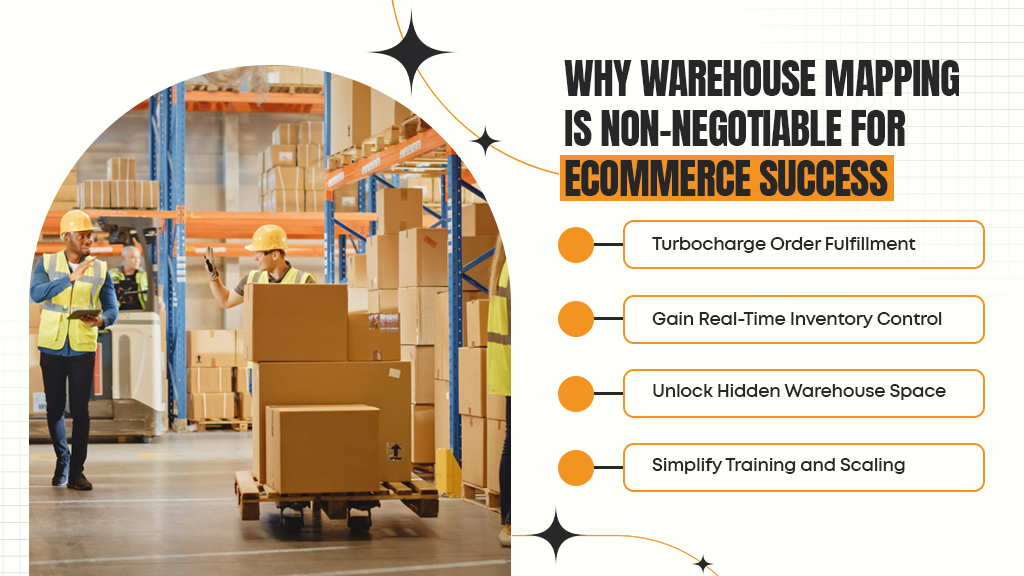
Why Warehouse Mapping is Non-Negotiable for Ecommerce Success
1. Turbocharge Order Fulfillment
Without a clear map, warehouse staff waste time searching for items. A study by McKinsey found that workers spend up to 70% of their time walking in unoptimized warehouses. Mapping slashes this downtime by:
- Guiding pickers: Clear location codes help workers navigate directly to items.
- Reducing errors: When every SKU has a designated spot, mispicks drop dramatically.
- Speeding up packing: Logical workflows ensure orders move smoothly from picking to shipping.
2. Gain Real-Time Inventory Control
Mismanaged inventory costs businesses $1.1 trillion annually globally. Warehouse mapping combats this by:
- Tracking SKUs in real time: Know exactly what’s in stock, where it’s stored, and when to reorder.
- Preventing stockouts and overstocking: Avoid tying up cash in excess inventory or losing sales due to shortages.
3. Unlock Hidden Warehouse Space
Many warehouses use just 20-30% of their vertical space. Mapping helps you:
- Optimize storage: Use taller racks or mezzanines to free up floor space.
- Reorganize hotspots: Identify congested areas and redesign layouts for smoother workflows.
4. Simplify Training and Scaling
A standardized system means new hires can learn the warehouse layout in hours, not weeks. During peak seasons (like holidays), temporary workers can quickly adapt, reducing onboarding costs.
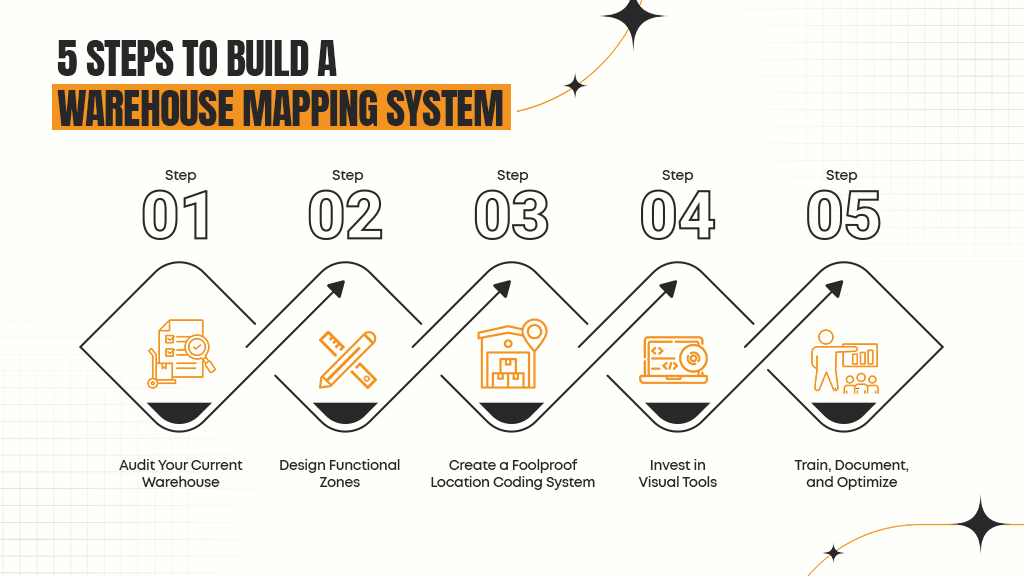
5 Steps to Build a Warehouse Mapping System
Step 1: Audit Your Current Warehouse
Start by analyzing your existing setup. Walk through the warehouse and note:
- Bottlenecks: Where do workers get stuck? Are aisles too narrow?
- Inventory pain points: Are popular items hard to reach?
- Safety risks: Are pathways cluttered or poorly lit?
Pro Tip: Interview your team. They’ll highlight inefficiencies you might miss, like frequently misplaced SKUs or confusing workflows.
Step 2: Design Functional Zones
Divide your warehouse into zones based on workflow:
- Receiving: Near loading docks for easy unloading.
- Storage: Group fast-moving items near packing stations.
- Picking: Centralize high-demand products for quick access.
- Packing/Shipping: Position close to exit points.
Example: A cosmetics brand might create a “Fragile Items” zone for glass perfume bottles, with padded shelves and extra lighting.
Step 3: Create a Foolproof Location Coding System
Location codes are the backbone of warehouse mapping. Use a hierarchical format like:
Zone-Aisle-Rack-Shelf-Bin (e.g., A-03-R2-L4-P1).
Best Practices:
- Keep codes short but descriptive.
- Use large, bold labels on racks and bins.
- Color-code zones (e.g., red for perishables, blue for electronics).
Step 4: Invest in Visual Tools
- Digital maps: Use software like Lucidchart or AutoCAD to create interactive layouts.
- Barcodes/QR codes: Sync physical labels with inventory management systems for real-time updates.
- Floor markings: Use tape or paint to mark travel paths and hazard zones.
Step 5: Train, Document, and Optimize
- Create a master map: Store digital and physical copies for reference.
- Train your team: Teach staff to read codes, navigate zones, and follow safety protocols.
- Review quarterly: Update maps when adding new products, expanding, or changing workflows.
Tools to Supercharge Your Warehouse Mapping
1. Spreadsheets (For Small Warehouses)
Basic but effective for startups. Create a grid to track SKU locations.
Limitation: Manual updates are time-consuming and error-prone as you scale.
2. Dedicated Mapping Software
Tools like SmartDraw or Flowtrac let you:
- Design drag-and-drop layouts.
- Generate barcodes.
- Integrate with inventory systems.
3. Advanced Solutions with 3PLNext
For large or growing operations, 3PLNext’s WMS (Warehouse Management System) offers:
- Real-time inventory tracking: Monitor stock levels across multiple warehouses.
- Automated order routing: Send orders to the nearest fulfillment center.
- Smart analytics: Identify slow-moving SKUs or underused space.
Case Study: A mid-sized apparel brand using 3PLNext reduced picking errors by 40% and cut shipping costs by 22% through optimized inventory placement.
How 3PLNext Transforms Warehouse Mapping
1. Strategic Inventory Distribution
3PLNext’s algorithm analyzes your sales data to distribute inventory across its global network. For example:
- Store winter coats in Midwest warehouses during colder months.
- Keep best-selling items in multiple locations to prevent stockouts.
2. Real-Time Visibility
Track every SKU’s location in real time via 3PLNext’s dashboard. Receive alerts for low stock, and automate reordering to stay ahead of demand.
3. Seamless Automation
Integrate 3PLNext’s WMS with robotics or IoT sensors to:
- Guide autonomous carts to picking zones.
- Monitor temperature-sensitive goods.
- Update maps automatically when inventory moves.
4. Scalable Solutions for In-House Warehousing
If you manage your own warehouse, 3PLNext’s WMS offers:
- Customizable workflows: Design picking paths based on order volume.
- Cycle counting: Schedule audits without disrupting operations.
- Ecommerce integrations: Sync with Shopify, WooCommerce, or Amazon.
Warehouse Mapping FAQs
Q: How is warehouse mapping different from location mapping?
A: Warehouse mapping covers the entire facility layout (zones, pathways, equipment). Location mapping focuses on assigning unique codes to individual storage spots (e.g., shelf B3).
Q: How often should I update my warehouse map?
A: Review it quarterly. Update immediately if you add new product lines, expand storage, or change workflows.
Q: What are common mapping mistakes?
A:
- Overcomplicating codes: Avoid codes like “ZX-7B-9Q-LM-12.” Stick to simple hierarchies.
- Poor labeling: Faded or hidden signs defeat the purpose.
- Skipping training: Even the best map fails if staff don’t understand it.




Leave a Reply